I haven't gone outside in 4 months but at least I have something to show for it
 Alex
2026-10-23
Alex
2026-10-23Hey dude, come look at my computer and I'll show you a buncha bullshit
I've been straight up rollin' with the windows down on this one for the past few months. Summer heats dying down and I get to churn through about 2000 cups of hot cocoa (per hour).
Exit Node's coming along well. The past few months of work have resulted in some serious progress that I'm quite pleased with.
Inventory UI
The inventory screen finally has some star power.
Since most of Exit Node's UI theme is that of a tattered magazine, it took me a while to think through how I'd apply that aesthetic to the inventory screen in a way that I found stylish, but also logical enough in my glop brain to be programmed and intuitive. I have scoured places like pinterest, ebay, internet archive, wikimedia, and any weird sites in between, looking for old music mags, local zines, vintage rave flyers, classified documents with illustrations, weird alternative graphic design projects where students make their own takes on movie posters, all kinds of really cool stuff.
I eventually settled on this blend of newspaper ads where every item in the game gets its own tailored coupon. As long as the panel fits the vibe well enough and is clear which item it is, I can throw on an orbiting 3D model on the left with some flavor-text. Now we've got a pretty decent inventory screen.
Bird Flocks
A classic effect found in tons of games. It's a small thing, but one of those pieces that are relatively easy to set up and should help the city feel more alive.
It works probably how anyone with a bit of programming experience would assume. For those who don't, it's not a complex system. The gist is, I drop the prefab somewhere in the scene. Somewhere nice like a ledge the birds can perch on, or some sidewalk that's wide and open where they can graze (do birds graze?).
The cylinder represents the spawn area and when the scene loads, we just check if any of our random spawns inside the cylinder detects a surface point. If it does, then our birds have a cool little spot to chill. And there's a trigger area of course around them. If the player gets too close, they'll fly off.
Developer Notes
I added these easy-access developer note cards I can quickly place in the scene with just right clicking somewhere in the scene.
I'm just one dude working on this project, so stopping to fix every little issue halts progress like putting a world-champion squat holder's record weight onto the brake pedal of a '94 Miata (with a weight reduction package).
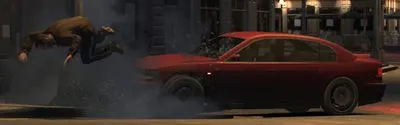
So leaving a few notes to return to later is a natural choice. It's easy to mass-search for these little guys later, too.
Move to View Surface
This one I'm kind of surprised isn't a default feature of Unity.
I was tired of using things like "Move to view" (kind of useless) or holding V to snap vertices to something else in the scene (gotta have both in view). So now, whatever object's selected, just right click the scene view and move to the view surface.
Developer Menu Tools
Exit Node's had a developer console in some capacity for a while, but it's been rough and barely did anything. I finally took the time to give it some love.
No more relying on printing everything to the Unity console. I can have a global text buffer now that I can funnel engine logs to, messaging from my own internal tools, and even give myself buttons to toggle printing those logs to the game screen or not. This was more helpful at first but after getting spammed with lightmap warnings you just wanna keep it to errors or other important things.
This helps me develop in builds as well. Now in a build of the game, I still have access to console reports, and a list of helpful actions like a button to quick-reload the scene, or toggle faster movement speed, etc. The beauty here is that with the groundwork laid out nicely, I can implement all kinds of helpful future tooling into this framework.
Portside visual improvement
I finally found a comfortable workflow for UV and texture work for environments. So now Portside's starting to get some flavor to it.
It's only a start, of course. But it's a relief to finally see scenes start to leave the grey-box era.
The most important requirement for finding a good workflow is designing a folder structure and file naming convention that's most useful to you. For me, it's a blend of keeping shippable assets categorized in a way most conducive to Unity's interface, while source assets are stored outside of the project in their own arbitrary categorized structures. It's not worth going into since it's highly tailored, but nevertheless, it's important.
Set up favorites, blender bookmarks, pinned folders, quick access, whatever options you have to make falling and climbing through folders LESS of a headache. I'd rather watch a firmware update happen on my car's shitty radio than navigate Windows' folder structure sometimes. I've actually done that. It was hell. Took hours.
Anyway, I basically just set up a few general-use texture atlases for things like brick, concrete, stone walls, and the weird in-betweens. Plug that into blender, and just go through the standard UV workflow from there. For those who use blender, I really like just using the simple built-in collection exporter.
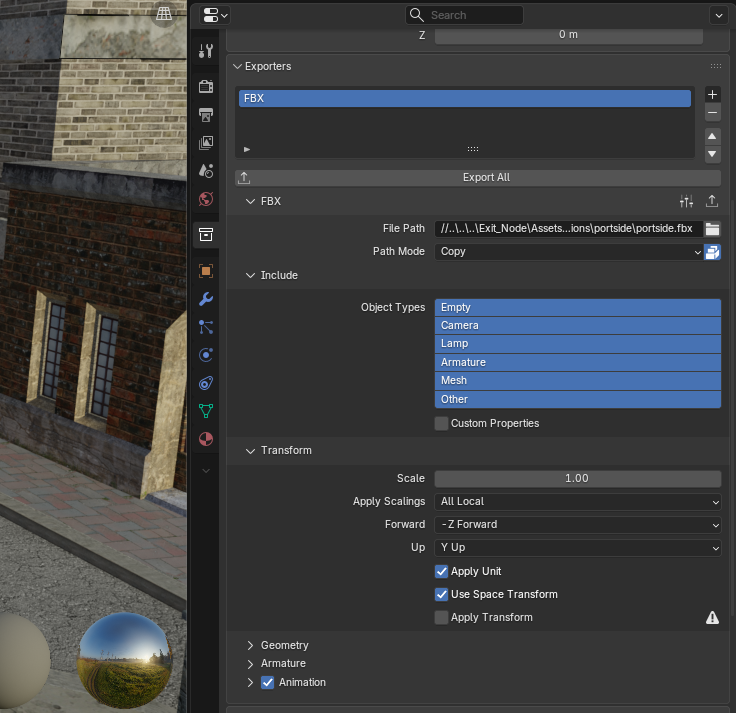
Fill in the values when you first set up the new file, wire up the export button to your quick favorites, so now every time I make a change, Q > export all, alt+tab over to unity, and my changes are live. Hell yes.
Computer Terminals
Have a seat, bro. Mom's bringing home pizza and I just installed Warcraft 3.
I've wanted to have terminals throughout the game world since the earliest days of design. Dig through a someone's emails and figure out who they're having an affair with. Figure out where they stashed their goods before sending the location to a buyer. Unlock a door or something. Whatever it may be, terminals have gotten cleaned up. They're a tricky thing that I haven't fully polished yet since they essentially follow the same branching dialogue as our standard NPC conversations, just with a little extra attention to the structure. I also really want to add passwords and the chance to hack the terminals. But I haven't been able to find a solution that cleanly fits into the current system. We'll see.
Sebastian, The Hotel Concierge
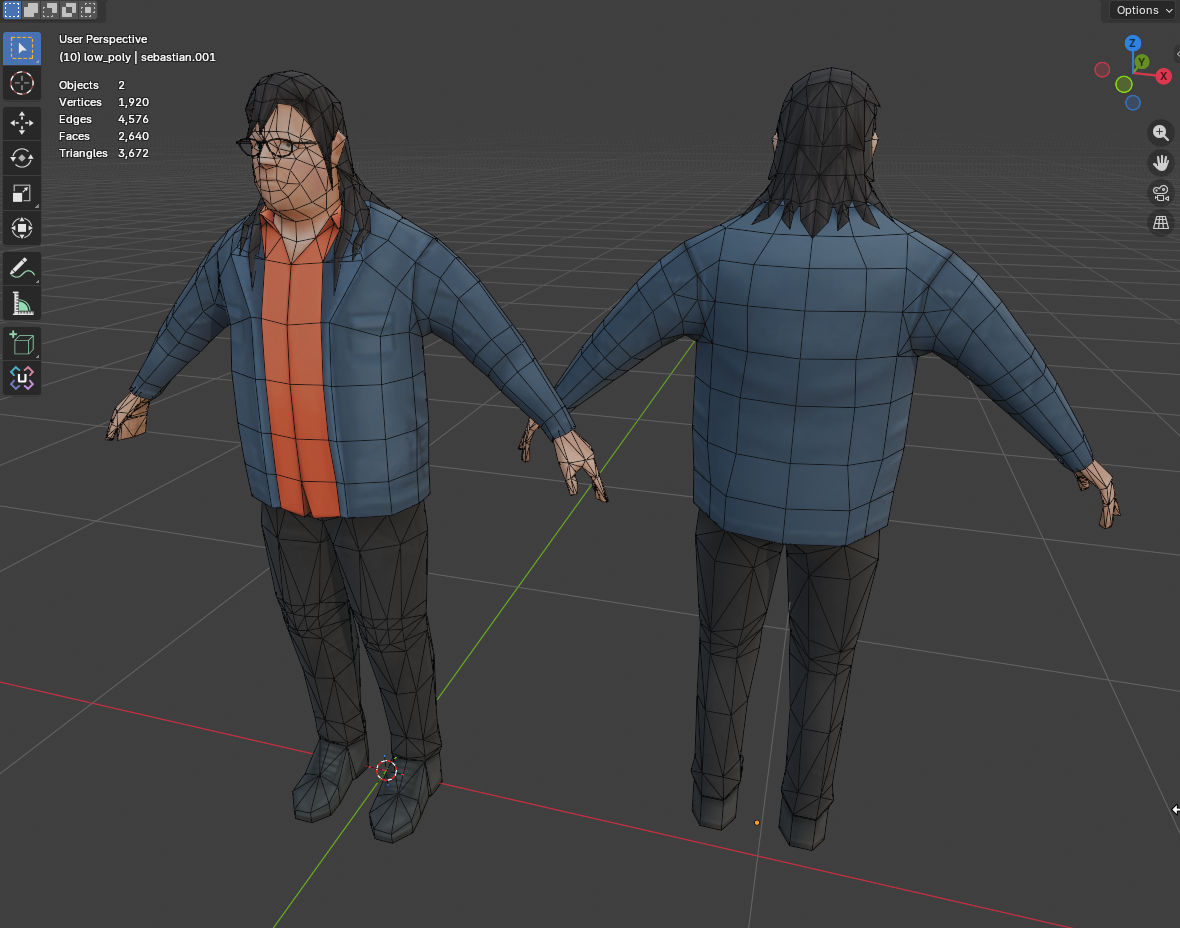
Sebastian is the sole employee and front desk clerk of the Mariner's Rest hotel.
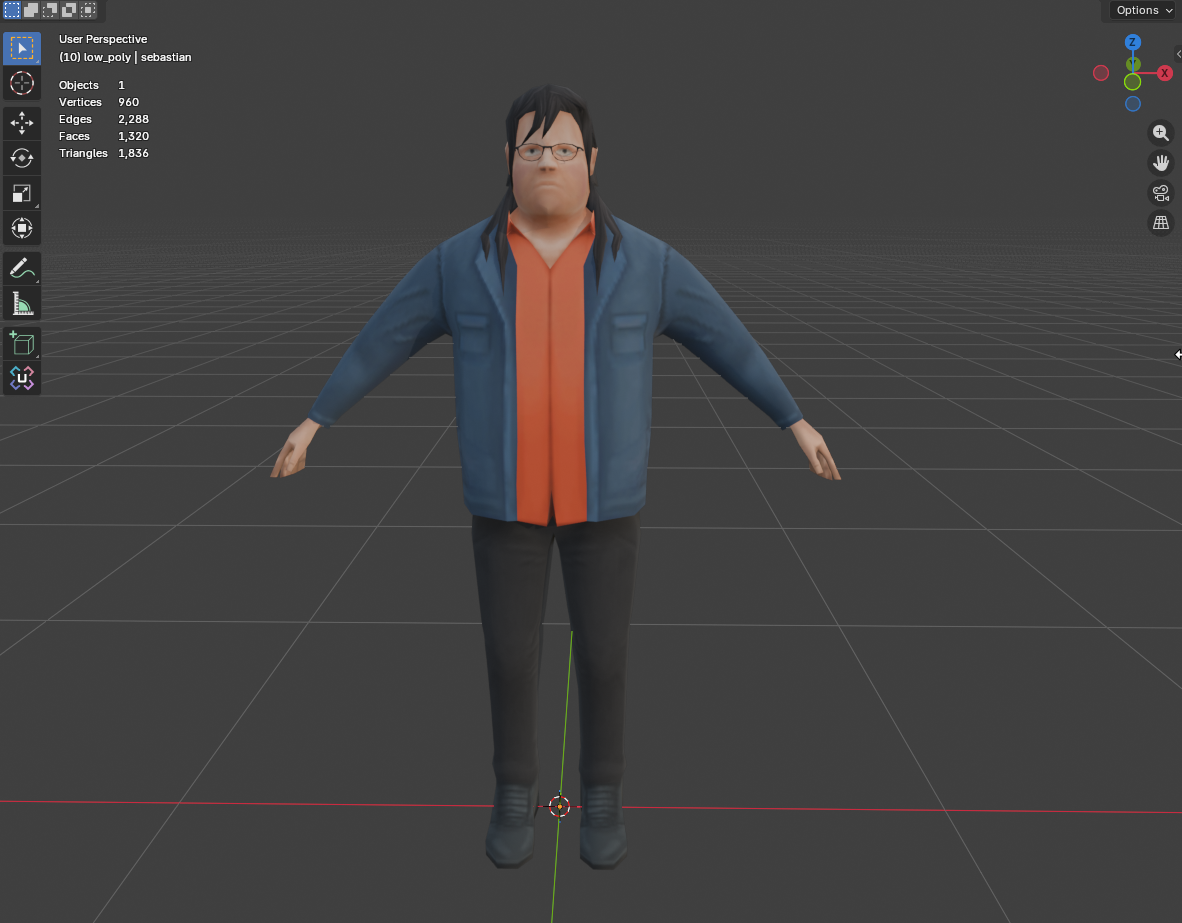
He's a kind-hearted young man. A touch lethargic, but not if you ask for his help. If you let him, he'll recount the whole screenplay of his favorite movie to you.
He's dealing with a sense of feeling trapped in his current job, but after working there for so long, he doubts himself too much to find something better. The hotel owner, David, has been a sort of father-figure for Sebastian. Seb feels a touch of pride when David is proud of him. Those moments where David tell's Sebastian "good job" are enough to keep Sebastian right where he is, behind the counter. But David's letting the hotel fall into collapse. Sebastian might need someone to help him find his inner confidence.
He's a fan of horror movies, heavy metal, and both Japanese and western comics.
Custom Dialogue Writer
I've struggled so much with comfortably writing branching dialogue with the tools out there. I considered Articy to... probably be the best option out there, especially with how compatible it is with Unity. It also works great with the dialogue system I'm using. The problem is, I can't stand using it. It's clunky, not fun to write in, not cheap, barely any hotkeys, and I'm constantly having to use the mouse to fiddle with things instead of getting my thoughts out onto paper.
So I took a break from my standard dev work for a few days and decided to see if I could just roll my own.
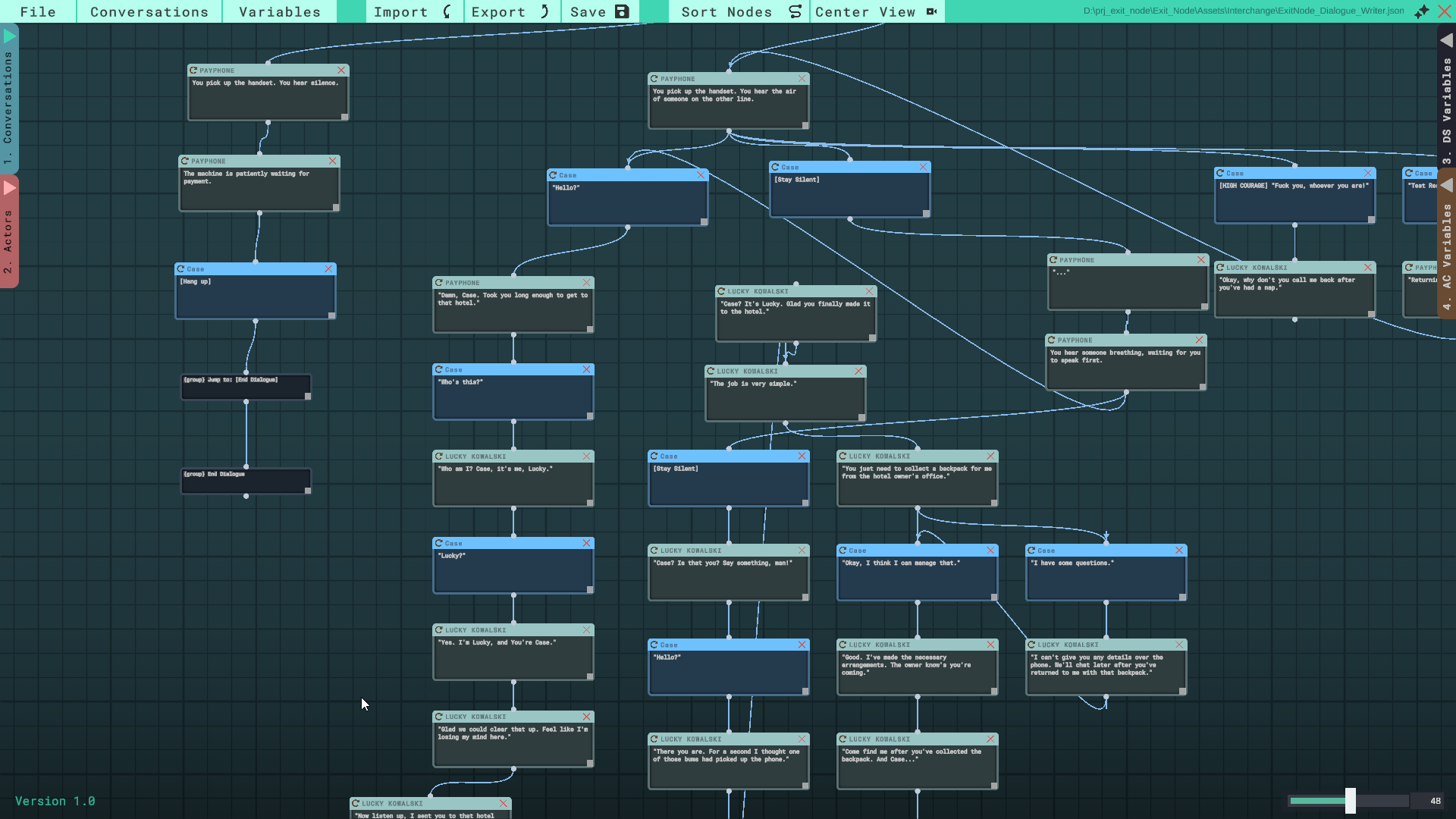
I knew how the UI would look in my head. More importantly, hotkeys, hotkeys, hotkeys. A conversation in this game (and many games like it) are rarely ever simply:
speaker1 > speaker2 > speaker1 > speaker2.
Speaker1 might want to hit you with 3 or 4, maybe even 10 back-to-back sentences for the player to read through before jumping to player responses. So why not build the writing system to support that flow?
Using this tool, I can just write out a dialogue node, and with Ctrl+Enter, immediately create and jump into a new node from the same speaker. Ready to write the player's response? Ctrl+Shift+Enter, then press 1-9 for however many response options you want for the player.
I'm one of the weird ones who prefers typing general text into IDEs or code editors than standard document processors because of their inherent design of supporting more weird keyboard chords. Most of which are mainly for faster navigation without moving to grab the mouse. So this project has weird combos like Alt+IJKL for caret navigation, Ctrl+IJKL to jump full words, using Alt and "[" or "]" to jump across nodes sequentially, which I took a step further by displaying a little number on each hub branch, then just use Alt+(number) to jump straight there:
There's tons and tons of features in this tool, and so far all I've done is dork out over hotkeys, but my point covers the general thought of how the design of a writing tool should be constructed. I want to build a tool that makes me want to write because its interface gets out of my way.
Anyway, there's too much to go into about the writing tool specifically, but possibly one day I'll get it to a stable enough point to release through open source so others can benefit. It's far too individualized for my workflow right now.
Comments
Sign in to comment.
No comments yet.